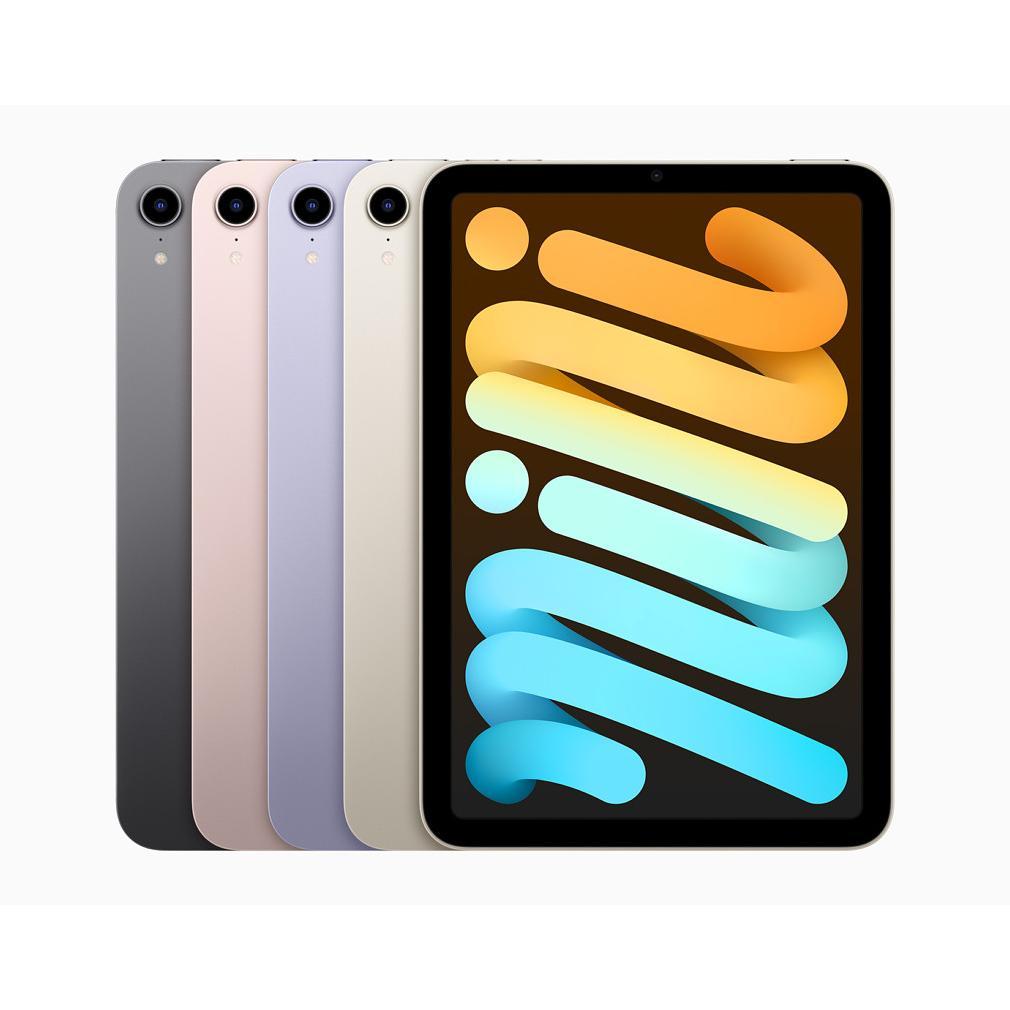
Which iPad is right for you?
Your phone screen is too small. A laptop on the couch is too big and clumsy. You know you want an iPad, but which one? There are so many models now that it's hard to keep track. From mini to Pro, with or without cellular connectivity, different storage capacities. However, most people make the same mistake: they choose an iPad based on what they think they need, not on what they will actually do. This difference can save you hundreds of euros. Because that expensive refurbished iPad Pro for watching Netflix? A waste. Just like that cheap basic version for professional drawing. And we haven't even talked about the accessories you may or may not need. It's time to clear up the confusion and discover which iPad truly suits your situation.
Useful links
- Refurbished iPad collection - view all available models
- Refurbished iPad Pro - for professional use
- Refurbished MacBook - as an alternative for heavy tasks
Choosing the right iPad: where to start?
Choosing a new tablet seems simple, but in practice, many people regret their purchase afterward. Too expensive, too heavy, or too limited in features. The secret lies in one crucial question: what will you actually use the device for?
Let's be honest: that beautiful iPad Pro with all the bells and whistles looks tempting. But if you mainly watch Netflix and scroll through social media, you're literally throwing money away. The opposite is also true: try professional drawing on a basic model without Apple Pencil support.
The complete overview: four models under scrutiny
iPad (basic model)
Apple's entry-level model proves to be more than sufficient for many users. This device offers a 10.2-inch screen, support for the first-generation Apple Pencil, and a decent processor for everyday tasks. Perfect for:
- Browsing and email
- Video streaming
- Light gaming
- Digital reading
Its price-performance ratio makes this model particularly attractive for families looking for a shared tablet.
iPad Air
The golden mean in the product range. With a 10.9-inch display, support for the second-generation Apple Pencil, and a more powerful chip, you'll get a long way. This model suits people who:
- Regularly multitask
- Want to edit photos
- Take notes during meetings
- Take gaming more seriously
iPad mini
Small but mighty, that perfectly characterizes the mini. With its 8.3-inch screen, it fits into almost any bag. Don't underestimate this size: the hardware is surprisingly powerful. Ideal when you:
- Travel a lot
- Read e-books
- Prioritize compact size
- Want to operate it with one hand
iPad Pro
The flagship comes in two sizes: 11 and 12.9 inches. With the M2 chip, ProMotion display, and support for the latest accessories, Apple targets professionals. Consider this model for:
- Graphic design
- Video editing
- 3D modeling
- Laptop replacement
Wi-Fi or Cellular: an underestimated choice
The choice between Wi-Fi only or a model with mobile internet is often underestimated. A cellular version costs, on average, 150 euros more, plus monthly data charges. However, it can be worth the investment.
Ask yourself these questions:
- Do you often work in locations without Wi-Fi?
- Do you use the tablet while traveling?
- Do you need independence from hotspots?
For home use or office work with stable Wi-Fi, the standard version is perfectly adequate. Digital nomads and field service employees, on the other hand, greatly benefit from the cellular option.
Storage: how many gigabytes do you need?
Basic models start at 64 GB, but is that enough? A practical rule of thumb:
64 GB is sufficient for:
- Streaming apps (content is not stored locally)
- Browsing and email
- A handful of apps and games
- Cloud users
128-256 GB is advisable for:
- Photography and video storage
- Large game collections
- Offline content for travel
- Professional apps
512 GB or more only for:
- 4K video editing
- RAW photography
- Extensive music library
- Multiple large projects simultaneously
Accessories: what do you really need?
The accessory market for tablets is huge, but not everything is necessary. A protective case is almost indispensable, especially with intensive use. The Apple Pencil transforms your tablet into a digital notebook or drawing tablet, but only if you need it.
The Magic Keyboard turns your tablet into a quasi-laptop. Useful for long texts, but with a price tag of several hundred euros, it's not an impulse purchase. Cheaper third-party alternatives often work fine for occasional typing.
New versus refurbished
A refurbished model can save hundreds of euros without noticeable loss of quality. These devices are professionally checked, repaired where necessary, and often come with a warranty. For most users, the difference from new is barely noticeable.
However, pay attention to the age of the model. A three-year-old Pro can still be more powerful than a new basic version, but software support is discontinued after five to six years.
The decision: your user profile determines
Ultimately, everything revolves around your specific situation. A student taking notes during lectures has different needs than a graphic designer or a family watching movies together.
Take the time to analyze your usage patterns. Write down what you would use the tablet for in the coming week if you had it. That gives a more realistic picture than fantasizing about possibilities you probably won't use.
The perfect iPad doesn't exist, but the perfect match for your situation does. Focus on what you do, not on what you could do.
Making the right choice
The search for the right tablet doesn't have to be complicated. Start with your actual use, not with the tempting possibilities you probably won't use anyway. For most people, a basic or Air model from the refurbished collection is more than enough. Only for specific professional tasks is the investment in a Pro model worthwhile. Remember: the best iPad is not the newest or most expensive, but the one that seamlessly fits your daily routine. Save yourself the frustration of a wrong choice by being honest about what you're actually going to do.