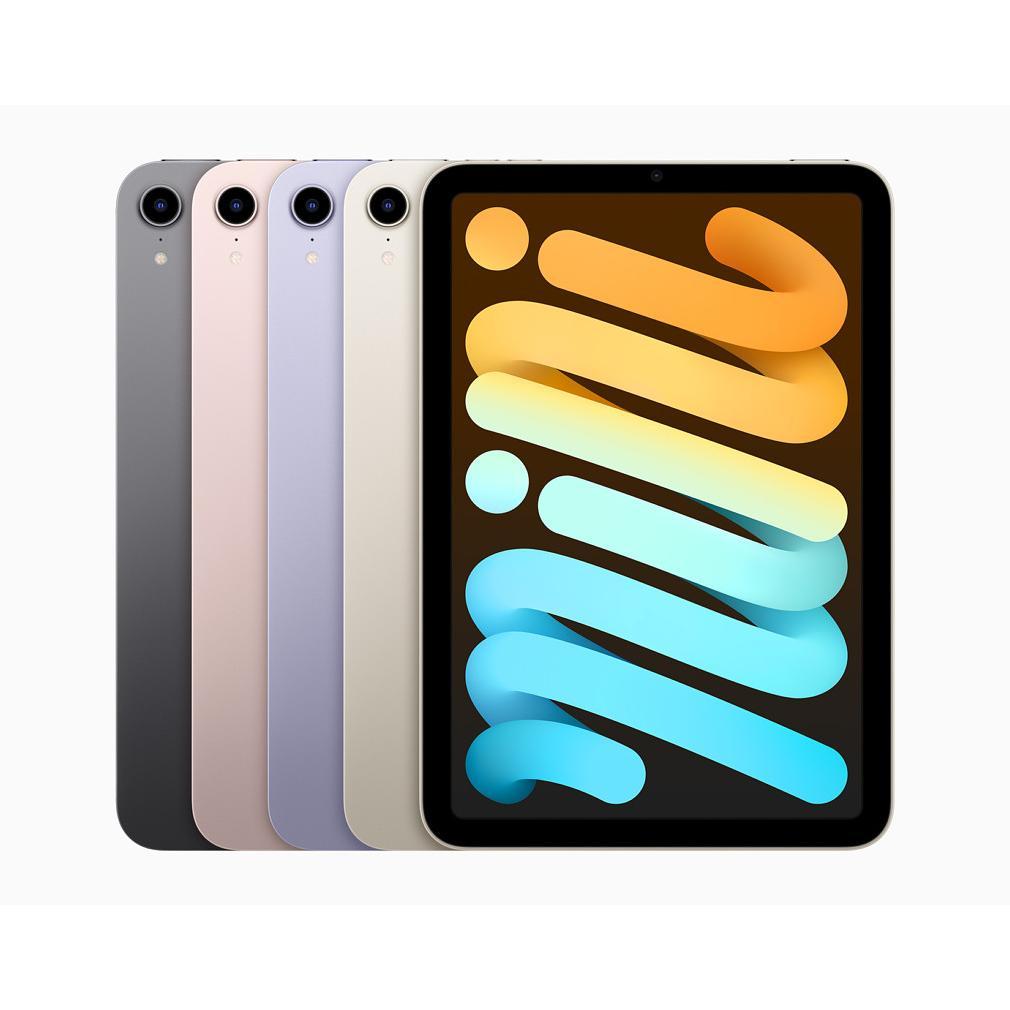
iPad Screens: Why More Expensive Isn't Always Better
Buying a new iPad? You can quickly get lost in screen terminology. LCD, Retina, Liquid XDR, Mini-LED – it's like reading a technical manual instead of choosing an iPad. Most buyers think: just give me the newest, most expensive screen. Logical. However, here's the pitfall: the difference between a standard LCD from 2018 and the latest Mini-LED technology in the iPad Pro is hardly noticeable for the average user. Watching Netflix on the couch? Giving a presentation? Scrolling through social media? That simple LCD does just fine. The real benefit isn't in the marketing names, but in one specific feature that Apple prefers not to highlight. A feature that determines whether your eyes are tired after three hours of reading or not.
Useful links
The evolution of iPad screens: more than just pixels
The screen largely determines your user experience with an iPad. However, the difference between display types is not always clear. Apple uses marketing names like Retina and Liquid XDR, but what does this mean for daily use? And more importantly: which screen type suits your needs?
The basis lies in LCD technology. Almost every iPad uses a variant of this, except for the latest Pro models with mini-LED. The difference mainly lies in the implementation: how sharp is the image, how accurate are the colors, and how smoothly does the screen respond to your fingers?
TFT-LCD: the beginning of a revolution
The first iPads from 2010 and 2011 used TFT-LCD screens. This technology was standard for tablets at the time. The image was bright enough for basic tasks, but viewing angles were limited. If you tilted the tablet a bit, the colors faded. By modern standards, these screens are outdated, but they formed the basis for what was to come.
These first-generation displays had a resolution of 1024 x 768 pixels. That sounds ridiculously low now, but at the time, it was revolutionary for a tablet. The main drawback: pixel edges were visible with normal use, especially when reading text.
IPS-LCD with Retina: the big leap forward
Starting with the third-generation iPad, Apple introduced the Retina display. This was not a new technology, but a marketing term for screens with such a high pixel density that the human eye could not distinguish individual pixels at a normal viewing distance.
The technical basis remained IPS-LCD, but with a crucial improvement: the pixel density doubled to 264 pixels per inch. This meant sharper text, clearer photos, and smoother graphic rendering. Almost all iPads between 2012 and 2017 used this technology, including popular models like the iPad Air and iPad mini series.
Practically speaking, users mainly noticed a difference when:
- Reading e-books and articles (less eye strain)
- Viewing photos (more detail visible)
- Drawing and designing (more precise lines)
Liquid Retina: marketing or real progress?
In 2018, Apple launched the term Liquid Retina for the new iPad Pro models. Technically, it remained IPS-LCD, but with refinements. The screen bezels were rounded, color reproduction improved with support for the P3 color gamut, and True Tone technology automatically adjusted the color temperature based on ambient light.
The real difference was in the details. Pixel density increased marginally, but the uniformity of the backlight improved significantly. This resulted in less 'bleeding' on black screens - a common problem with LCD screens where light leaks along the edges.
For professional users, this made a difference. Graphic designers noticed more accurate colors, photographers saw better shadow details, and video editors worked with more reliable image reproduction. For the average user? The difference with standard Retina was hardly noticeable.
ProMotion: the underrated innovation
Where Apple truly innovated was with ProMotion technology. These screens refresh up to 120 times per second, twice as fast as standard displays. This sounds like a detail for gamers, but the impact is greater than you think.
When scrolling through websites, everything feels smoother. The Apple Pencil reacts more naturally because the delay between your movement and what appears on the screen is halved. Even simple tasks like typing feel more responsive. The downside: once you get used to 120Hz, every other screen feels slow.
ProMotion also dynamically adjusts the refresh rate. When reading a static page, it drops to 24Hz to save battery. Starting a video? Then it jumps to the optimal speed for smooth playback.
Mini-LED: the future is now
The biggest leap came in 2021 with mini-LED technology in the 12.9-inch iPad Pro. Instead of one large backlight, these screens use thousands of tiny LEDs divided into zones. Each zone can dim or brighten independently.
The result? Deeper blacks, brighter whites, and a contrast ratio that LCD screens never achieved before. HDR content comes to life with details in both the darkest shadows and the brightest highlights. For content creators working with HDR video or photography, this is a breakthrough.
However, mini-LED also has drawbacks. With high contrast - think white text on a black background - 'blooming' can occur: a slight halo around bright objects. This is especially visible in dark environments and can be distracting when reading at night.
Which screen type is right for you?
The choice depends on your usage. For daily tasks - browsing, email, watching videos - a standard Retina display is perfectly sufficient. You'll find these in regular iPad models from the fifth generation onwards. They offer excellent image quality for a fraction of the price of Pro models.
Do you work a lot with the Apple Pencil? Then ProMotion makes a world of difference. The natural response when drawing and writing justifies the higher price. You'll find this in all iPad Pro models from 2017 onwards.
For professional photo and video editing, mini-LED is the best choice. The superior color reproduction and contrast ratio are essential for accurate work. Currently only available in the latest 12.9-inch iPad Pro models.
The future: OLED on the horizon
Rumors suggest that Apple is working on OLED screens for future iPads. This technology, used in iPhones for years, offers perfect blacks because pixels can turn off individually. This completely eliminates blooming and improves battery life.
The wait is for an OLED panel that is large enough for iPads, remains affordable, and does not suffer from burn-in - a known problem with OLED screens that display the same image for long periods.
Practical tips for screen selection
When choosing an iPad screen, some practical considerations are important. Think about where you will primarily use the device. Outdoors in bright sunlight? Then maximum brightness is crucial - newer models perform better here. Reading a lot in the evening? True Tone and Night Shift reduce blue light and reduce eye strain.
Also consider lifespan. An iPad with an older screen type can still function perfectly for basic tasks for years. The differences between generations are often subtle. An iPad from 2018 with a standard Retina display still offers an excellent experience for most users.
Finally, look for refurbished options. These often offer recent technology for the price of older models. The screen is usually replaced or thoroughly checked, so you get modern display technology without paying the new price.
The right choice for your usage
The screen technology in iPads has evolved impressively, but don't be blinded by marketing terms. For most users, a standard iPad with a Retina display is more than sufficient - Netflix looks great on it and your eyes won't be unnecessarily strained. Only if you work professionally with photos and videos, or draw intensively with the Apple Pencil, is the investment in an iPad Pro with ProMotion or mini-LED worthwhile. The best iPad is simply the one that suits your daily use, not the one with the most expensive screen.