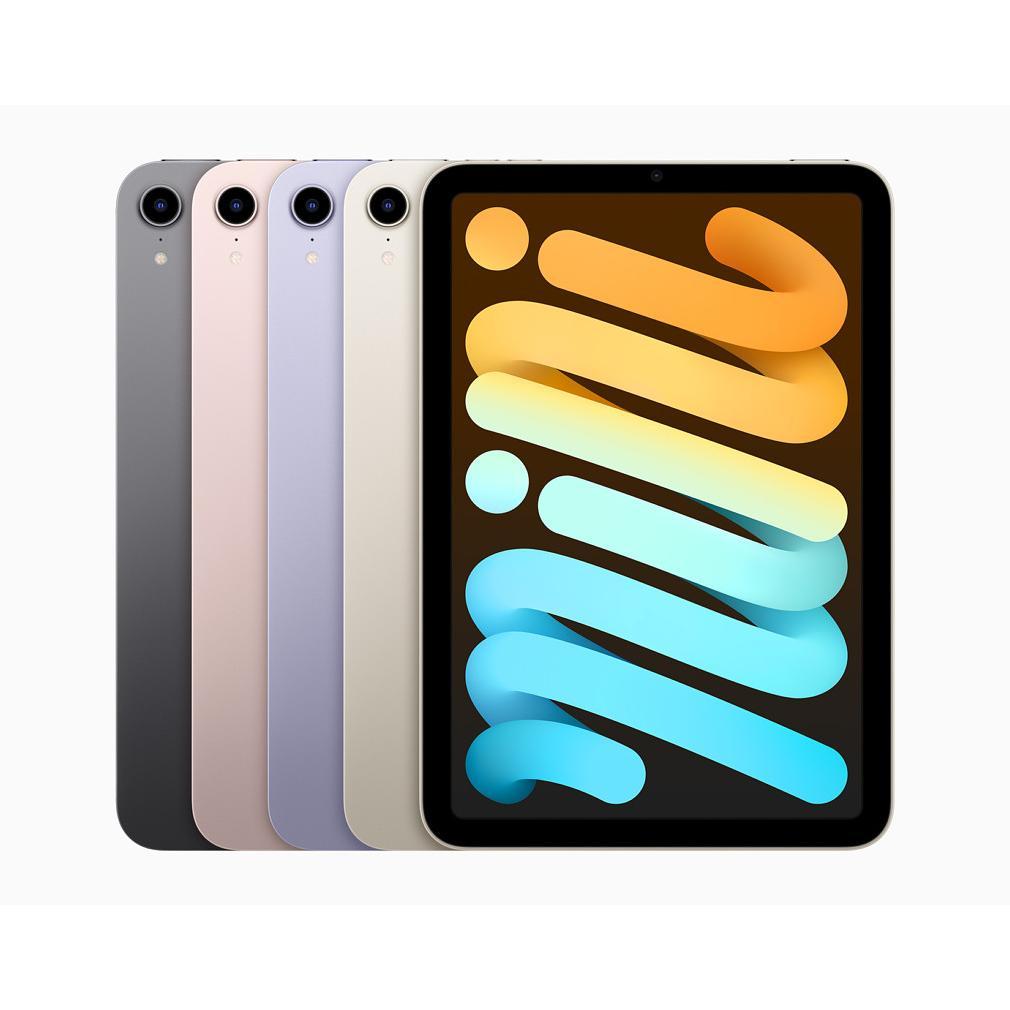
iPad for business use: from toy to productivity machine
An iPad for business use? Many entrepreneurs hesitate. Too limited. Too much of a toy. Not serious enough for real work. But here they are making a mistake. The iPad is no longer just a consumption device – it is a productivity machine that will have you leaving your laptop at home more often than you think.
With the right accessories such as a keyboard and stylus, you transform the device into a business workhorse. The iPad Pro even handles heavier tasks than many laptops. The secret is not what the iPad can do – that's plenty by now. It lies in how you set up and treat the device.
Stop thinking in limitations. Start thinking in possibilities. Because those who truly approach their iPad for business use will discover a work instrument that is more flexible, portable, and often more practical than that bulky laptop in your bag.
Useful links
- iPad cases and protection - protect your business investment
- Keyboards and mice - turn your tablet into a workstation
- iPad collection - view all available models
Choosing the right iPad for business use
Not every iPad is suitable for the same business tasks. The standard iPad is perfectly adequate for basic tasks such as email, presentations, and document processing. For graphic work, video editing, or heavier multitasking, the iPad Pro with an M-chip offers more power. The difference is mainly in processor power and screen quality. A Pro model has ProMotion technology for smoother display – pleasant for prolonged work.
The iPad Air is the ideal middle ground. This model combines many Pro features with a friendlier price. For most business users, this is the sweet spot. Think of accountants, consultants, or sales representatives who mainly process documents and give presentations.
Essential accessories for productivity
Keyboard as a base
A physical keyboard instantly transforms your tablet into a work computer. Apple's Magic Keyboard offers a trackpad and backlit keyboard, but it costs a fortune. Logitech alternatives do the same for half the price. The difference? Apple's variant feels premium, but functionally, you'll notice little difference.
Stylus for precision work
The Apple Pencil is indispensable for anyone taking notes during meetings or signing contracts. The second generation charges magnetically – no more dead battery at the wrong moment. For basic notes, the Logitech Crayon also works fine at a lower cost.
Protection that works
A decent case not only protects against drops. It also ensures a professional appearance to clients. Choose a model with a stand function so you can position the device ergonomically during video calls.
Software that makes the difference
The power of business iPad use lies in the right applications. Microsoft 365 runs smoothly on every model. Editing Excel sheets, adjusting PowerPoint presentations, or attending Teams meetings – everything works as expected.
For project management, apps like Asana and Monday.com excel on the touchscreen. The intuitive operation makes delegating tasks and monitoring progress even more efficient than on a laptop.
Accounting software such as Exact Online and Twinfield have solid iPad apps. Sending invoices, processing bank statements, or preparing VAT returns – it's all possible on the go.
Practical work scenarios
The field service employee
For sales representatives, the tablet is ideal. Showing product catalogues, preparing quotes on the spot, directly entering orders – the direct link with the company system prevents duplicate work. The 4G variant ensures you are online everywhere without being dependent on Wi-Fi.
The creative professional
Graphic designers and photographers benefit from the Liquid Retina display. Colours are accurate, details are sharp. With apps like Procreate or Affinity Designer, you can create professional designs. The device even supports raw photo editing in Lightroom.
The consultant
For consultants who travel a lot, weight is decisive. A laptop plus charger easily weighs two kilos. This model with a keyboard stays under a kilo. Yet you can write complete reports, analyze spreadsheets, and conduct video calls with clients.
Pitfalls and solutions
File management was long a stumbling block. The Files app largely solves this. You can now structure folders just like on a computer. Connecting external hard drives via USB-C also works seamlessly.
Multitasking has its limits. Split View allows two apps to run side-by-side, but more becomes difficult. For really heavy multitasking, a laptop remains more convenient.
Printing was once a drama, but AirPrint-compatible printers work seamlessly. Older models often require a workaround via printer apps.
Cost and ROI
A business setup costs between 600 and 2000 euros, depending on the model and accessories. Buying refurbished saves 30-40% without loss of function. The investment is recouped through more efficient work and less travel time through mobile working.
VAT can be reclaimed for business purchases. Note: this is not possible for margin goods. Always ask for a regular invoice with VAT specification.
Future-proofing
iPadOS is developing rapidly. Every year, features are added that bring the device closer to a laptop. Stage Manager improves multitasking, external display support is expanded.
The M-chips in newer models offer laptop performance. Applications that were previously impossible now run smoothly. Think of 4K video editing or CAD software.
Companies that invest in iPad infrastructure now are at the forefront of flexible working. The transition to fully mobile working is becoming increasingly realistic.
The iPad as a mature business instrument
An iPad for business use is no longer a compromise – it is a conscious choice for flexibility and efficiency. With the right accessories and software, you can work just as productively as on a laptop, but lighter and more mobile.
Whether you choose a standard model for basic tasks or a Pro variant for heavier jobs, the investment pays off in ease of use. The device has matured as a business instrument. Those who choose wisely and set it up correctly will discover a working method that suits modern entrepreneurship.